

We used to track our time in one tool and manage our projects in another. Both did their jobs. But they described the same work in two places, and neither one knew what the other was doing.
So we built one system instead. Current is our agency management software: every client, project, to-do and hour we work, in the same place. I started it, and Blake and I have spent the past few months building it together.
It’s what we run SilverServers on now, and you can try it yourself. The demo runs entirely in your browser, and you’ll be working as Michael Scott, World’s Best Boss.
Enter It Once
Here’s the idea behind Current: the work gets entered once. Start a timer on a project, and those minutes count toward the project’s hours, the client’s monthly budget, your timesheet and the payroll report. Nobody enters those hours twice.
Time
Tracking starts with three buttons: Start Task, Break and End Shift. Start Task runs a timer against a client or project, and routine work, like the morning meeting, gets its own one-click button. The running timer stays in the top bar on every page and in the browser tab’s title, so it’s hard to forget one is running.
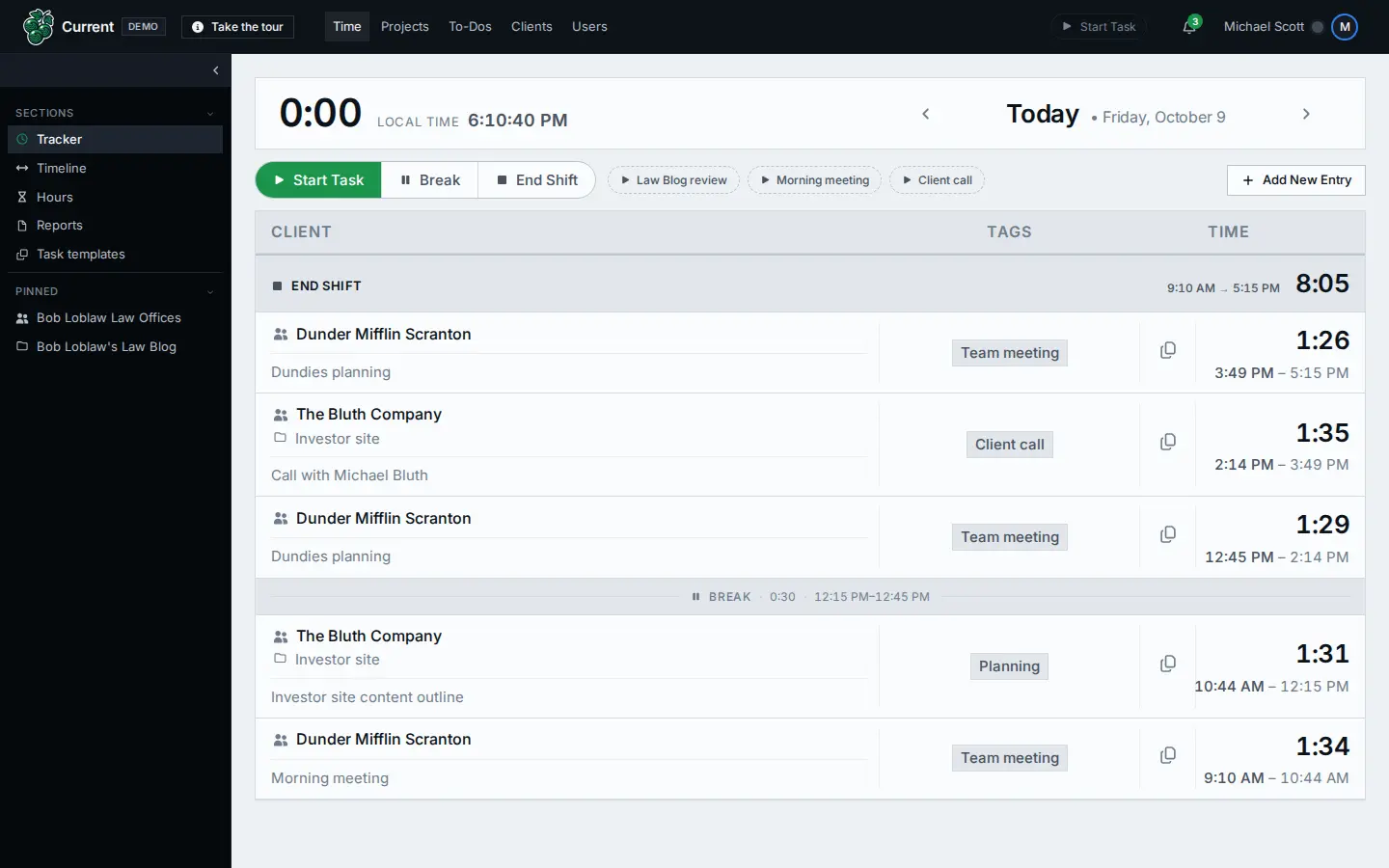
The rest of the Time section turns those entries into answers:
- Timeline lays out your days in order. Scroll back through the weeks and click any entry to fix it.
- Hours shows each client’s hours against its monthly budget, and flags the clients who are over or getting close.
- Tags decide what’s billable, and a client marked not billable overrides them all.
- Reports come in eleven types, including payroll, punctuality, billable versus unbillable staff time and client allocations. Pick any dates and get a web page, a CSV file or JSON.
- Staff schedules and billable targets set what each person is expected to work and bill, and the reports show the difference.
Projects
Every project gets one row: the client, the lead developer, how far along its milestones it is, and its hours against what we expected. Click a milestone to make it the current one, and everything before it is marked done. New projects can start from a template, so a website build and a print run each begin with their own milestones.
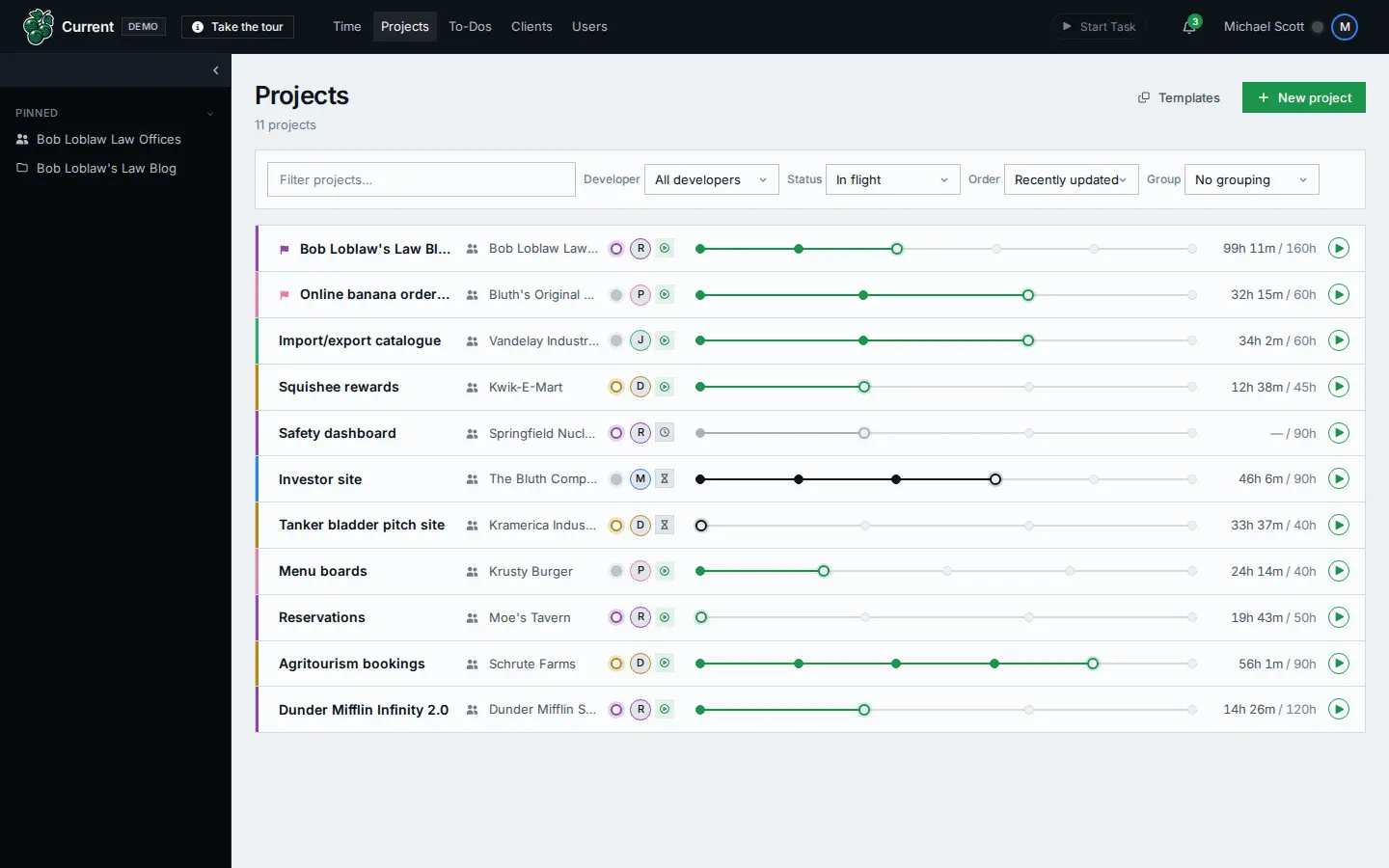
A project’s own page holds the rest: its to-dos, its contacts, and a comment thread where an @mention notifies a teammate.
QA Before Launch
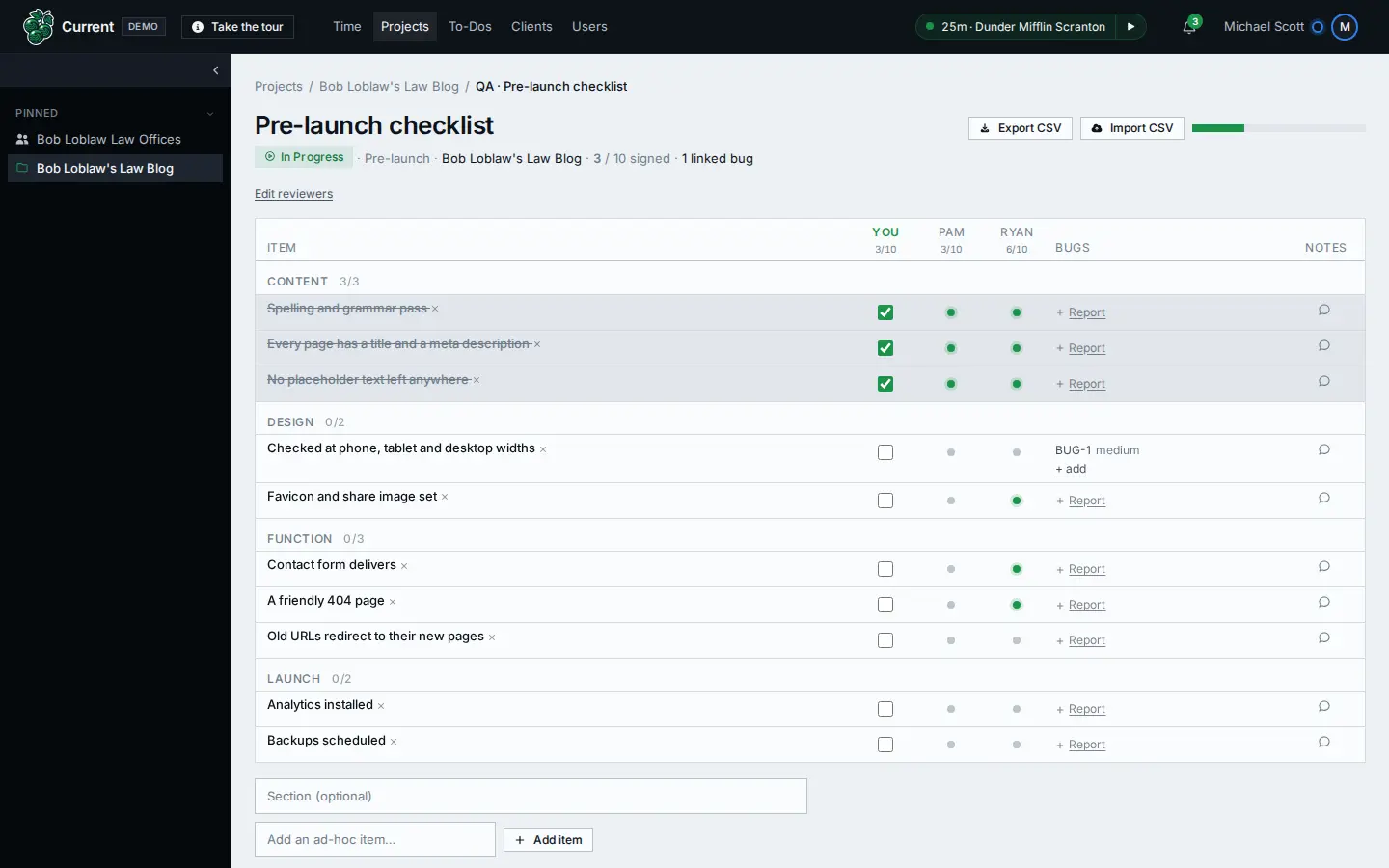
This part comes from launching websites for a living. A project can carry QA checklists, and every reviewer has to sign off on every item before QA can be marked complete. When an item fails, a bug report can be filed straight from it, with a severity, a status and the page where the problem shows up.
The demo’s pre-launch checklist runs from a spelling pass to the things that hurt most when they’re missed: the contact form delivers, old addresses redirect to their new pages, analytics is installed and backups are scheduled.
To-Dos
The whole team’s to-dos fit on one board, with a column for each person. Each to-do carries a priority out of 10, a due date, who asked for it, and the client and project it’s for. Overdue work is flagged.
Clients
A client’s page gathers its projects, contacts, websites and internal notes, along with this month’s hours against its budget. Each contact carries a role, such as primary, billing or approver, and each note can carry the date of the meeting it came from.
The Team
The Users page shows who’s working, in a meeting, on a break or away right now, and each person’s profile and timesheet is a click away. Notifications cover mentions, assignments, due dates, QA reviews and clients going over their hours. And everyone can pick from eight themes.
Why We Built Our Own
In May, Mickael asked the question in Dawn of the Software Singularity: “Why rely on multiple disconnected tools that do not integrate cleanly with each other?” Current is our answer: one work management platform instead of several tools that don’t talk to each other. It handles billable rules, pay periods and pre-launch QA the way we do them, because we wrote it around the way we work.
It joins Pulse, the monitoring platform we’ve run since 2015, on the list of tools we built for ourselves. In the office, Current also runs our content planning, analytics reporting and social media post planning. The demo is a more straightforward, simplified design that sticks to the core: time, projects, to-dos, clients and the team.
Try It in Your Browser
The demo is a working copy of Current, and a twelve-step tour shows you around. It runs entirely in your browser, and anything you change stays there, so go ahead: move milestones, reassign to-dos and leave a timer running.
Your office is Dunder Mifflin Scranton. Your clients include Bob Loblaw Law Offices, Kramerica Industries, Krusty Burger, Moe’s Tavern and the Bluth family’s frozen banana stand. As George Bluth Sr. put it, there’s always money in the banana stand.
Too Many Tools?
Current isn’t only ours. Your business can run it too, and we’ll set it up with you: talk to us about getting started.
And if your business runs on a patchwork of tools that should be one system, that’s the kind of thing we build. See our custom web applications.